
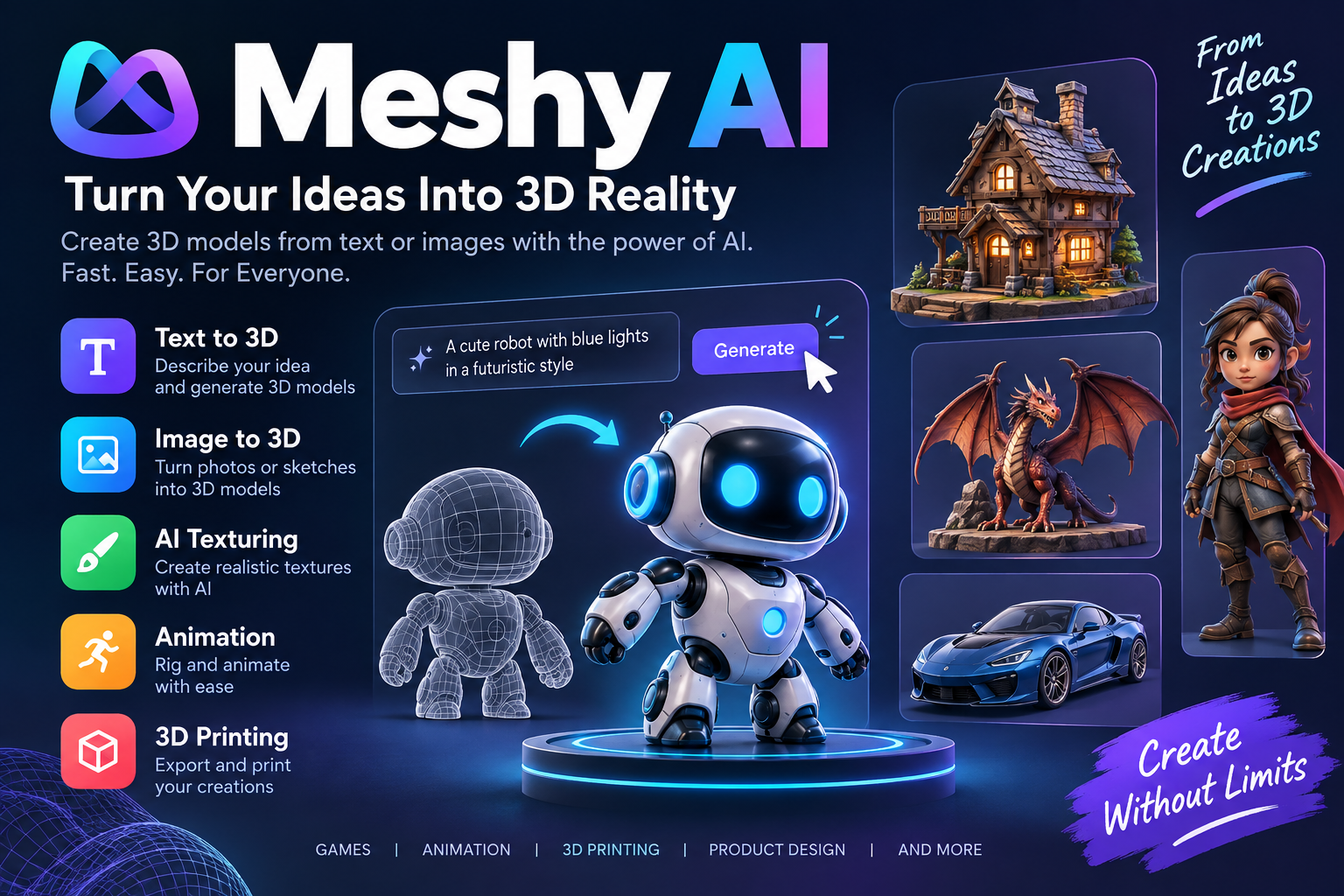
Creating a 3D model traditionally requires design skills, special software, and a lot of time. Meshy AI is changing this process by allowing users to create 3D models with artificial intelligence. Users can describe an object with text or upload an image, and Meshy can turn the idea into a 3D asset.
Meshy is an AI-powered 3D creation platform designed for artists, game developers, 3D printing enthusiasts, product designers, and other creators. It supports workflows from creating a model to texturing, rigging, animation, and exporting the final asset.
What Is Meshy AI?
Meshy AI is an online platform that uses artificial intelligence to generate 3D models from text prompts and images. It is designed to make 3D creation easier, especially for people who may not have advanced modeling skills.
With its Text to 3D feature, users can describe an object in natural language. Meshy then generates a 3D model based on the description. The platform also offers Image to 3D, which can turn a photo, sketch, or concept image into a 3D model.
This makes Meshy useful for quickly testing ideas and creating assets for games, animation, product design, virtual experiences, and 3D printing.
How Does Meshy AI Work?
Meshy follows a relatively simple workflow.
First, users provide an idea. This can be a written description or an image. The AI then analyzes the input and creates a 3D model.
For example, a user could describe a “small futuristic robot with metallic armor, blue lights, and a compact body.” Meshy can use that description to generate a 3D object.
Users can then inspect the model, apply textures, optimize the mesh, animate characters, and export the result for use in other applications.
The platform is designed to make this process much faster than creating every part manually.
Meshy AI Text to 3D
One of Meshy’s most useful features is Text to 3D.
Users simply describe the object they want to create. Meshy can generate a textured 3D model from the prompt. The official documentation says the feature is useful for concept exploration, rapid prototyping, and situations where users do not already have a reference image.
For better results, users should provide details about the object’s shape, material, style, and important characteristics.
For example:
Prompt:
“Low-poly fantasy treasure chest made from dark wood, metal corners, golden lock, slightly worn surface, game-ready style.”
A more detailed prompt can help guide the AI toward the desired result.
Image to 3D
Meshy also supports Image to 3D.
Users can upload a photo, sketch, concept art, or AI-generated image. Meshy analyzes the reference and creates a three-dimensional model.
This feature can be particularly useful when a creator already has a visual reference and wants to turn it into a 3D asset. Meshy also supports multiple reference views for certain workflows, which can provide additional information about the object’s shape.
The platform recommends using clear reference images. A simple background and a clear view of the object can help produce better results.
AI Texturing
Creating a 3D model is only one part of the process. The model also needs a suitable surface and texture.
Meshy provides an AI texturing feature that allows users to describe the desired appearance using text or an image. The platform can generate customized textures for models.
Its documentation also lists support for PBR maps and high-resolution texture options, helping creators produce more detailed assets.
This can save time compared with manually creating textures from scratch.
Meshy AI for 3D Printing
Meshy can also be useful for people interested in 3D printing.
Users can generate a model from a text prompt or image and then prepare it for printing. The platform supports formats such as STL and 3MF that can be used in 3D printing workflows.
Meshy also provides features such as printability checks, model resizing, and tools for preparing models.
This means users can move from an idea to a printable model without manually creating the entire object in traditional 3D software.
Animation Features
Meshy is not limited to static models.
The platform includes animation tools that can rig characters and apply motion presets. Its feature list includes auto-rigging for humanoid and quadruped characters and a large library of motion presets.
This can be useful for game developers, animation creators, and other users who need moving 3D characters.
Meshy 3D Agent
Another interesting feature is the Meshy 3D Agent.
Instead of working only through traditional generation tools, users can interact with the AI through conversation. The agent can help brainstorm ideas, generate concepts, and turn selected concepts into 3D models.
According to Meshy, the 3D Agent can work from text, photos, and sketches. It can also help users develop ideas before generating the final model.
This conversational approach can be helpful for beginners who are not sure how to write effective 3D prompts.
Meshy AI for Game Development
Game developers can use AI-generated models to speed up asset creation.
For example, a developer may need:
- Characters
- Weapons
- Buildings
- Vehicles
- Props
- Animals
- Environment objects
- Low-poly game assets
Meshy’s Smart Topology options are designed to help create meshes suitable for real-time and game workflows. The platform also supports exports for popular 3D pipelines.
Models can be exported in formats such as FBX, OBJ, GLB, USDZ, STL, BLEND, and 3MF, depending on the workflow and feature being used.
Meshy AI for Beginners
One of Meshy’s biggest advantages is accessibility.
Traditional 3D modeling can take months or years to master. Users need to understand modeling, topology, UV mapping, materials, lighting, and other concepts.
Meshy reduces some of this complexity by using AI.
A beginner can start with a simple prompt, generate a model, inspect it, and make changes. This makes the platform useful for learning and experimenting with 3D creation.
However, AI-generated models may still require editing or optimization depending on the intended use.
Meshy AI for Professionals
Meshy is also designed for professional workflows.
Experienced 3D artists can use AI generation to create early concepts, prototypes, references, and base models. They can then refine the output in tools such as Blender or game engines.
The platform also provides an API, allowing developers to integrate AI 3D generation into their own applications and workflows.
This makes Meshy more than a simple online 3D generator. It can also become part of a larger production pipeline.
Meshy AI: Pros and Cons
Pros
- Easy for beginners to use
- Creates 3D models from text
- Converts images into 3D models
- Supports AI texturing
- Includes animation tools
- Useful for game development
- Supports 3D printing workflows
- Provides multiple export formats
- Offers API integration
- Includes a conversational 3D Agent
Cons
- AI-generated models may need manual cleanup
- Results can vary depending on the prompt or reference
- Advanced features can require credits or a paid plan
- Complex objects may not always generate perfectly
- Professional projects may still require traditional 3D editing
Is Meshy AI Free?
Meshy offers free access to some of its AI 3D creation capabilities, but not every feature is available to free users.
For example, Meshy’s current documentation states that its Text to Image feature is not available to free users, while access increases with higher subscription levels.
Because plans, credits, and feature availability can change, users should check the official Meshy website before choosing a plan.
How to Create a 3D Model With Meshy AI
Getting started is simple.
Step 1: Open Meshy
Visit the Meshy website and enter the workspace.
Step 2: Choose a Generation Method
You can start with Text to 3D if you have an idea but no reference image.
If you already have a photo or concept image, Image to 3D may be a better choice.
Step 3: Write a Detailed Prompt
Describe the object clearly. Include details such as:
- Shape
- Material
- Color
- Style
- Size
- Important features
Step 4: Generate the Model
Let the AI create the 3D asset. You can inspect the result in the built-in viewer.
Step 5: Improve the Model
Depending on your project, you can apply textures, optimize the geometry, rig the character, or make other adjustments.
Step 6: Export
Once the model is ready, export it in a format compatible with your software or workflow.
Who Should Use Meshy AI?
Meshy can be useful for many types of users.
Game developers can create prototypes and game assets.
3D printing enthusiasts can create models for physical printing.
Designers can quickly visualize product concepts.
Artists can experiment with new 3D ideas.
Students and beginners can learn about 3D modeling through AI-assisted creation.
Businesses can explore product concepts and integrate generation capabilities into their own applications using APIs.
Final Verdict
Meshy AI makes 3D creation more accessible by combining artificial intelligence with traditional 3D workflows. Its ability to generate models from text and images can save time during ideation and prototyping.
The platform goes beyond basic model generation with tools for texturing, animation, 3D printing, image creation, video generation, and API integration.
For beginners, Meshy provides an easier way to experiment with 3D without spending months learning complex modeling software. For experienced creators, it can work as a useful tool for generating concepts and speeding up parts of the production process.
Overall, Meshy AI is worth exploring if you want to turn ideas, images, and prompts into 3D models more quickly.
