
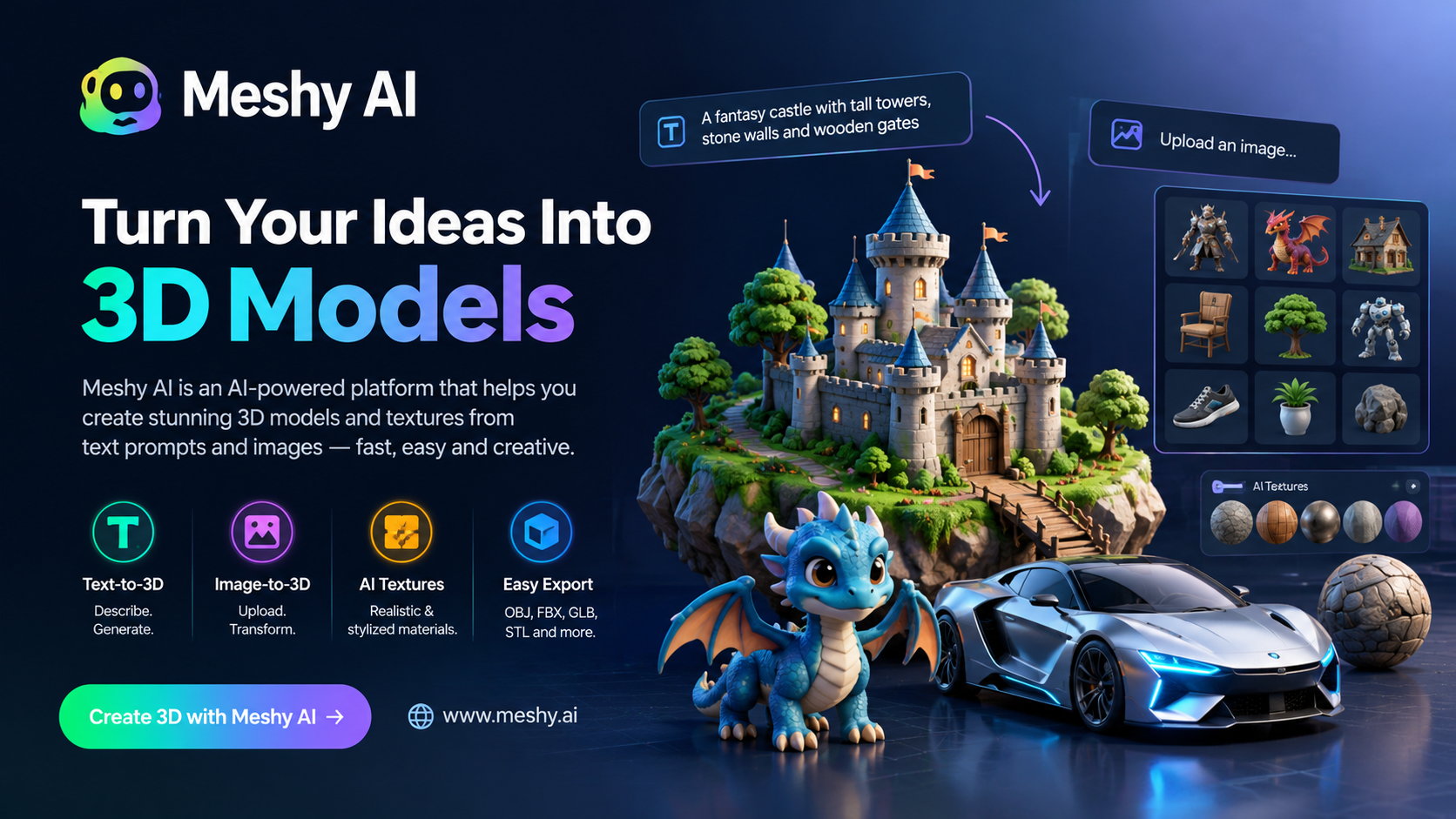
Artificial intelligence is transforming the way designers, developers, artists, and content creators produce digital content. One of the most exciting developments in this field is Meshy AI, an AI-powered platform that helps users create 3D models and textures from simple text prompts and images. Instead of spending hours manually building objects from scratch, users can use AI to speed up their 3D modeling workflow.
Whether you are a game developer, 3D artist, product designer, animator, or beginner exploring digital creativity, Meshy AI offers tools that can make 3D content creation faster and more accessible.
In this article, we will explore what Meshy AI is, how it works, its key features, benefits, limitations, and how you can get started.
What Is Meshy AI?
Meshy AI is an artificial intelligence platform designed to generate 3D assets using text descriptions and images. It helps transform creative ideas into digital 3D models that can be used in game development, animation, virtual environments, product visualization, and other creative projects.
Traditionally, creating a 3D model requires knowledge of specialized software such as Blender, Maya, or other 3D modeling applications. Meshy AI simplifies parts of this process by allowing users to describe an object in natural language or upload an image and let AI generate a corresponding 3D asset.
For example, you could enter a prompt such as “a futuristic sports car with metallic silver paint and glowing blue headlights.” Meshy AI can use that description to generate a 3D model that you can refine and incorporate into your creative workflow.
Official website: https://www.meshy.ai/
Key Features of Meshy AI
Meshy AI offers several features designed to streamline the 3D content creation process.
1. Text-to-3D Generation
One of the platform’s most useful features is text-to-3D generation. Users can describe an object in a text prompt, and the AI creates a 3D model based on the description.
You can generate a wide range of objects, including:
- Characters and creatures
- Furniture and household objects
- Vehicles and machinery
- Weapons and fantasy props
- Buildings and environmental assets
- Decorative objects and collectibles
This feature is particularly useful for quickly developing concepts and creating initial assets for games, animations, and digital scenes.
2. Image-to-3D Conversion
Meshy AI can also generate 3D models from images. Users can upload a suitable reference image and use it as a starting point for creating a three-dimensional object.
This feature can be helpful for artists who have a visual reference but lack the time or technical skills to model the object manually.
For example, a designer might upload an image of a chair, toy, robot, or fantasy creature and use AI-generated geometry as a starting point for further editing.
The final result depends on the quality of the reference image, the complexity of the object, and the generation settings.
3. AI Texture Generation
Texturing is an important part of 3D modeling because it gives objects their visual appearance. Meshy AI includes AI-powered texturing tools that help users create surface materials from text descriptions and visual references.
You can describe materials such as:
- Weathered metal
- Polished wood
- Realistic stone
- Fabric and leather
- Plastic and ceramic
- Fantasy-inspired materials
These tools can reduce the time required to create and apply textures manually. However, professional projects may still require adjustments to achieve consistent materials and realistic results.
4. AI Character and Creature Creation
Creating characters and creatures can be a time-consuming task, especially for independent game developers and small creative teams.
Meshy AI can help generate character concepts and creature models based on text prompts or images. Users can experiment with different styles, appearances, and designs to explore ideas more quickly.
For example, you might generate a fantasy warrior, a robotic companion, a cartoon animal, or an alien creature for a game concept.
AI-generated characters may require additional work to achieve clean topology, appropriate proportions, animation-ready geometry, and consistent details.
5. 3D Model Export
Once a model has been generated, users may be able to export it in supported 3D formats for use in other applications.
Depending on the available export options and the selected workflow, these assets can be transferred into software used for modeling, rendering, animation, and game development.
Common formats used across 3D workflows include OBJ, FBX, GLB, and STL. Check Meshy AI’s current export options because supported formats can vary by tool, plan, and feature.
Exporting a model allows users to continue editing their creations in software such as Blender or integrate suitable assets into a game engine.
6. Faster 3D Prototyping
Meshy AI is useful for generating early-stage 3D concepts without manually constructing every detail.
Designers can test multiple ideas, compare different object styles, and create visual prototypes before committing to a detailed modeling process.
This can be especially valuable when working on game environments, product concepts, architectural visualizations, or creative presentations.
How Does Meshy AI Work?
Meshy AI uses AI models to interpret text prompts or visual references and generate corresponding 3D assets. Although the precise workflow depends on the feature you select, the general process is straightforward.
Step 1: Visit the Meshy AI Website
Open https://www.meshy.ai/ and review the available tools. Create an account if required to access the generation features.
Step 2: Choose a Generation Tool
Select a suitable feature, such as text-to-3D or image-to-3D, depending on whether you want to start with a written description or an existing image.
Step 3: Enter a Prompt or Upload an Image
For text-based generation, write a clear description of the object you want to create. Include details about its shape, materials, colors, style, and intended appearance.
For example:
“A low-poly fantasy castle with tall stone towers, wooden gates, moss-covered walls, and a stylized medieval game-art aesthetic.”
Step 4: Generate the 3D Model
Start the generation process and wait for the AI to produce a result. Depending on the selected feature and current platform performance, generation time may vary.
Step 5: Review and Refine the Result
Inspect the model and make adjustments where the available tools permit. You may need to try different prompts or settings to obtain a more suitable result.
Step 6: Export Your Model
Download the model in a supported format and import it into your preferred 3D software or game development environment.
Benefits of Using Meshy AI
Meshy AI offers several advantages for people working with 3D content.
Saves Time
Traditional 3D modeling can require considerable time and technical expertise. AI generation helps speed up the initial creation process, especially for concept models and simple assets.
Beginner-Friendly Workflow
People who are new to 3D design can experiment with text prompts and images instead of learning every modeling technique before creating their first assets.
Supports Creative Experimentation
Artists can quickly explore different designs, materials, and visual styles. This makes it easier to test ideas before choosing a final direction.
Useful for Indie Game Development
Independent developers often have limited budgets and small teams. AI-generated assets can help them create prototypes and populate early game scenes more efficiently.
Helps With Concept Visualization
Product designers, illustrators, and digital artists can turn rough ideas into three-dimensional references that help communicate concepts.
Integrates Into Existing Workflows
Generated models can serve as starting points for further work in compatible 3D applications, depending on the exported format and model quality.
Who Should Use Meshy AI?
Meshy AI can be useful for several types of users.
3D Artists: Artists can use it to explore concepts, generate reference models, and accelerate parts of the asset creation process.
Game Developers: Developers can create prototype objects, environment assets, and character concepts for games.
Animators: Animation professionals can experiment with visual ideas and use generated models as references or starting assets, subject to additional preparation.
Product Designers: Designers can explore product shapes and visualize early concepts in three dimensions.
Digital Content Creators: Creators producing educational content, visual demonstrations, or digital art can experiment with AI-generated 3D objects.
Beginners and Students: People learning about 3D design can use AI tools to explore modeling concepts without immediately mastering complex software.
Meshy AI Pricing: Is It Free?
Meshy AI has offered different access plans, including free access and paid subscriptions. The exact pricing, generation credits, usage limits, and available features can change over time.
Free access may be suitable for users who want to test the platform before committing to a subscription. Paid plans may provide additional credits, expanded capabilities, or other benefits, depending on the current offering.
Before choosing a plan, consider the following:
- How many models you expect to generate each month.
- Whether you need advanced texturing or other specialized features.
- Which export formats are available for your projects.
- Whether the plan permits your intended commercial use.
- Whether unused credits expire and what usage restrictions apply.
For the latest information, visit the official website: https://www.meshy.ai/
Always review the current subscription terms and licensing conditions before using generated assets in commercial projects.
Meshy AI vs. Traditional 3D Modeling Software
Meshy AI and traditional 3D software serve related but different purposes.
| Feature | Meshy AI | Traditional 3D Software |
|---|---|---|
| Initial model creation | AI-assisted generation | Usually manual or procedural modeling |
| Ease of starting | Accessible through prompts and images | Requires learning the software |
| Creative control | Depends on available AI tools | Extensive manual control |
| Detailed editing | May require external software | Often provides comprehensive editing tools |
| Speed of prototyping | Can be very fast | Depends on skill and complexity |
| Professional production | Useful for selected workflows | Often essential for refinement and final production |
Popular traditional tools include Blender, Autodesk Maya, and 3ds Max. Meshy AI can complement these applications rather than replace them entirely.
For many professionals, the most practical approach is to use AI for initial generation and then refine the resulting assets in conventional 3D software.
Limitations of Meshy AI
Although Meshy AI can simplify 3D content creation, it is important to understand its limitations.
Results May Not Match Your Prompt Exactly
AI-generated models can contain unexpected shapes, missing details, or visual inconsistencies. You may need several attempts to obtain the desired result.
Geometry May Need Cleanup
Generated meshes may require topology adjustments, optimization, or retopology before they are suitable for demanding production workflows.
Animation Readiness Is Not Guaranteed
A visually appealing character model is not automatically ready for animation. Rigging, clean deformation topology, and other preparation may be necessary.
Complex Objects Can Be Difficult
Highly detailed machinery, intricate mechanical assemblies, and objects with precise engineering requirements may require manual modeling and technical verification.
Costs and Usage Limits
Free access may have limited credits or features, while paid subscriptions can add costs to your workflow. Review the current pricing before relying on the platform for large projects.
Commercial Licensing Requires Attention
Before selling, distributing, or incorporating generated models into commercial products, verify the platform’s current licensing terms, ownership provisions, and any applicable restrictions.
Tips for Getting Better Results With Meshy AI
To improve the quality and consistency of AI-generated 3D models, follow these practical tips.
- Write detailed prompts. Specify the object’s shape, materials, colors, proportions, and visual style.
- Focus on one main object. Simple, clearly defined subjects are often easier to generate than complicated scenes containing many interacting objects.
- Describe the intended style. Terms such as low-poly, realistic, stylized, cartoon, or sci-fi can help communicate your artistic direction.
- Use suitable reference images. Choose clear images that show the object’s main shape and important details.
- Experiment with different prompts. Small changes in wording can lead to different results.
- Inspect the generated geometry. Check for unwanted surfaces, holes, distorted details, and other issues before using the model.
- Refine models in external software. Use compatible 3D tools when you need precise geometry, optimized assets, or production-ready results.
- Check export and licensing options. Make sure the model’s format and usage rights fit your intended project.
Frequently Asked Questions About Meshy AI
1. What is Meshy AI used for?
Meshy AI is used to generate 3D models and textures from text descriptions and images. It can support game development, animation, digital art, concept visualization, and other 3D workflows.
2. Is Meshy AI suitable for beginners?
Yes. Its prompt-based workflow can make it easier for beginners to experiment with 3D asset creation. Some knowledge of 3D software may still be necessary for advanced editing and production.
3. Can Meshy AI create 3D models from images?
Yes. Image-to-3D generation is one of its core capabilities. The quality of the result depends on the input image, the object, and the selected generation settings.
4. Can I use Meshy AI models in Blender?
Generated models can be used in Blender when exported in a compatible format. You may need to adjust materials, geometry, scale, or other properties after importing them.
5. Can Meshy AI be used for game development?
Yes. It can help create prototype assets and other 3D content for game projects. Production assets may require optimization, texture adjustments, collision setup, and additional preparation for the target game engine.
6. Is Meshy AI completely free?
Not necessarily. The platform has offered free and paid access options, but available credits, features, and prices can change. Check the official website for current details.
7. Do I need 3D modeling experience to use Meshy AI?
You can begin with little or no modeling experience because many tasks start with a text prompt or image. However, advanced workflows often benefit from familiarity with 3D editing and asset preparation.
8. Can I sell models created with Meshy AI?
Commercial use depends on the platform’s current terms, the applicable subscription or license, and any third-party rights involved. Review the official licensing conditions before selling or distributing generated assets.
Final Verdict: Is Meshy AI Worth Trying?
Meshy AI is an interesting option for anyone who wants to explore AI-powered 3D content creation. By generating models and textures from text descriptions and images, it can help reduce the time required to move from an initial idea to a three-dimensional asset.
The platform is particularly useful for rapid prototyping, creative experimentation, early game development, and concept visualization. Beginners can use it to explore 3D design, while experienced artists can incorporate it into their existing workflows.
However, AI-generated assets are not always ready for professional production without further editing. Geometry cleanup, texturing adjustments, optimization, and licensing checks may still be necessary.
If you want to create 3D models more quickly without building everything from scratch, Meshy AI is worth exploring. Visit https://www.meshy.ai/ to discover its current features and decide whether it fits your creative needs.
